Generating Vouchers
Need to send your supplier all the booking details? Follow these steps to generate a voucher directly from your procurement booking.
1. Login to Toursoft with your email and password.

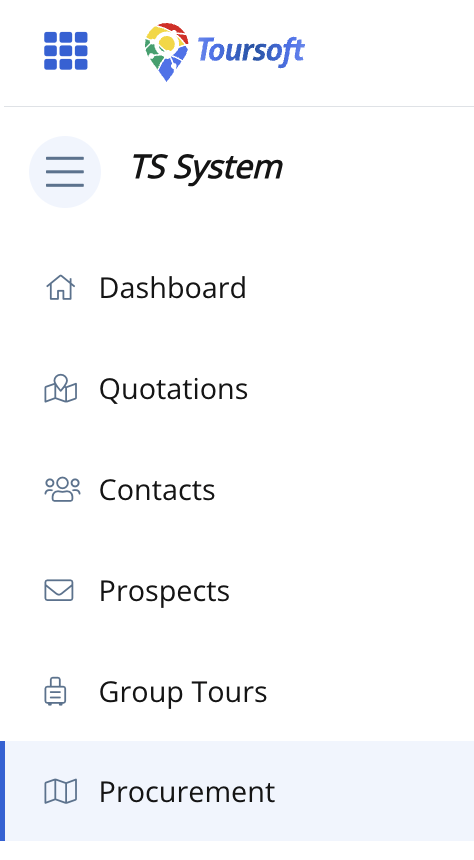
2. On the left-hand sidebar, select Procurement.
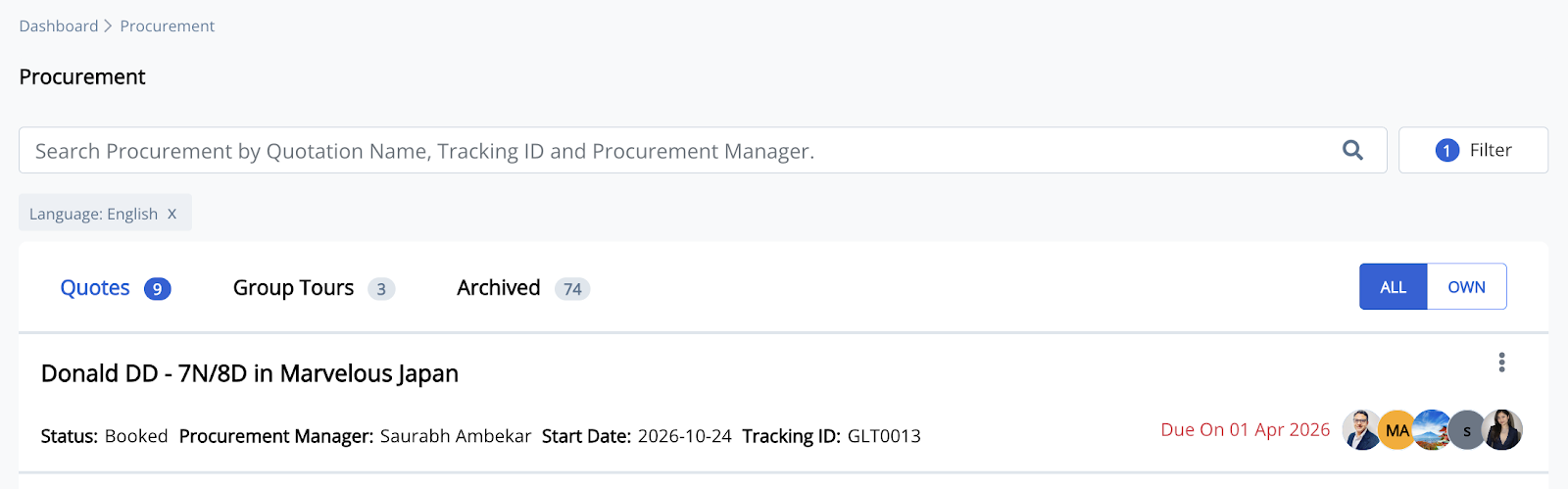
3. Open the procurement you want to work on by clicking the quotation.
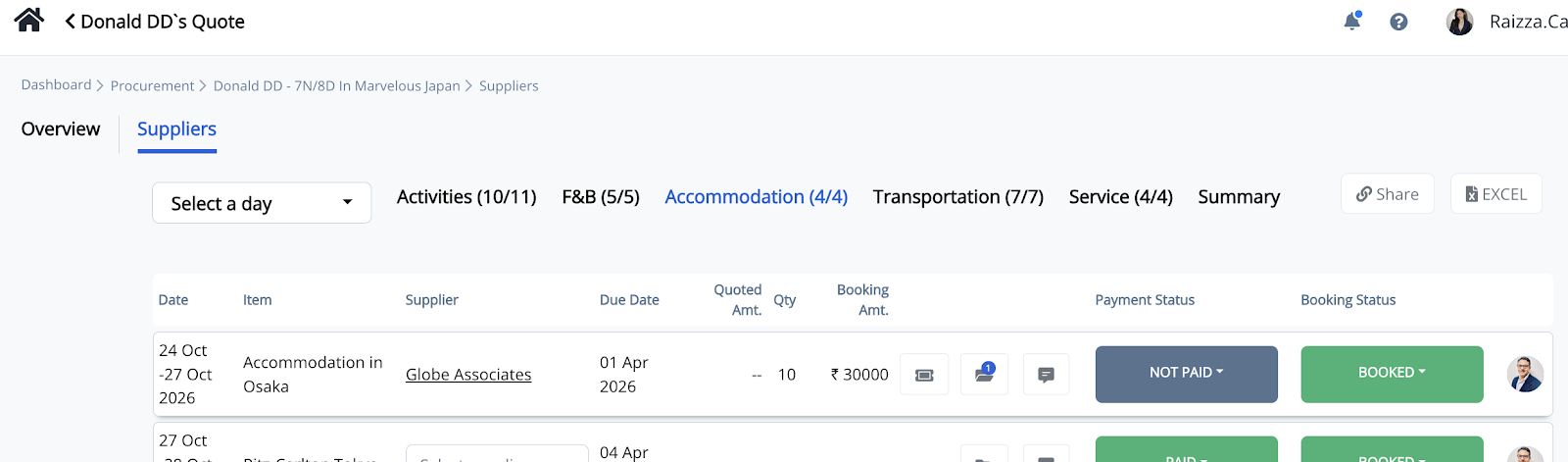
4. Select the appropriate procurement category (Activities, F&B, Accommodation, Transportation, or Service), then click the booking icon beside the supplier you want to generate a voucher for.
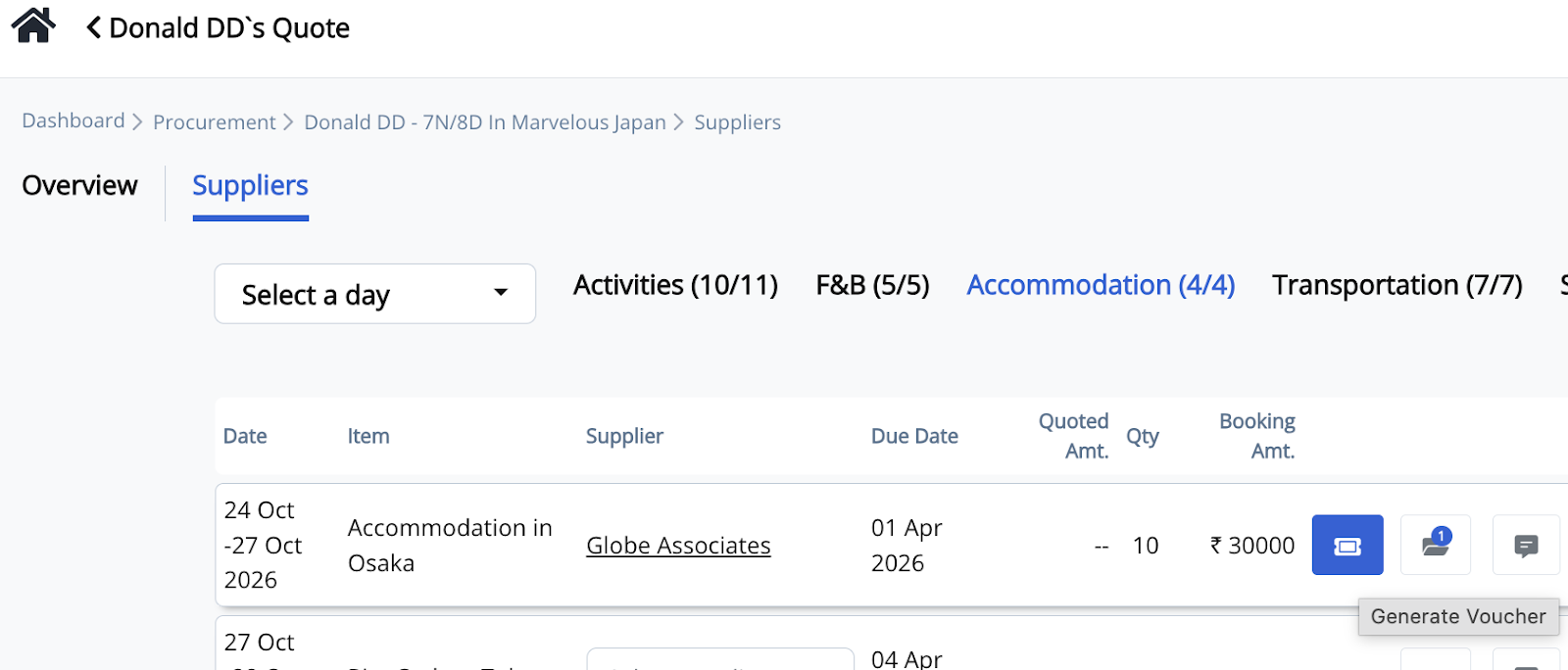
5. Under the supplier booking you want to generate a voucher for, click the Generate Voucher button.
6. Complete the voucher information, including:
-
Start Time
-
End Time
-
Duration
-
Notes (optional)
-
Agent Name
-
Email
-
Contact Number
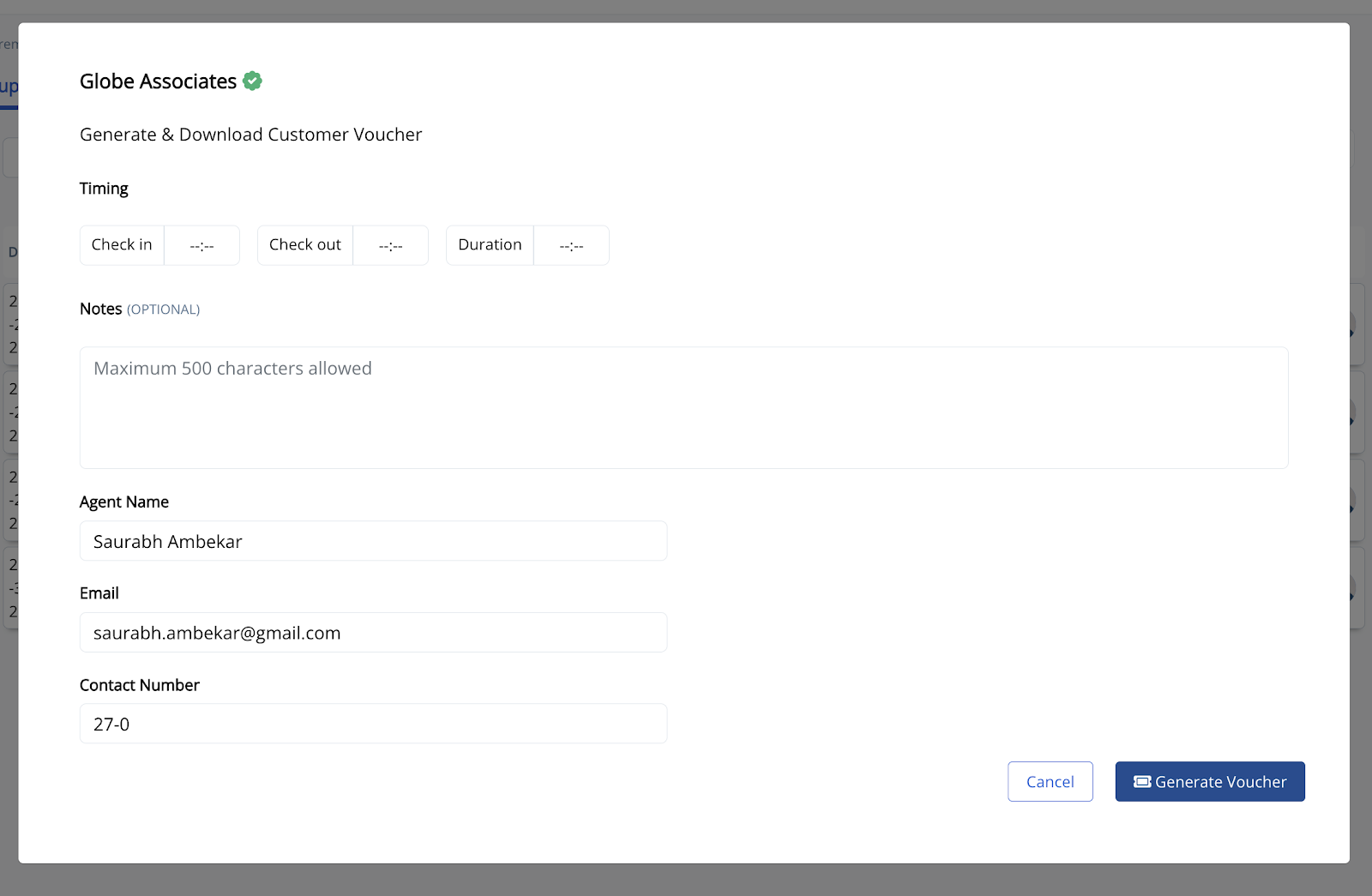
7. Click Generate Voucher.
The voucher will be generated and downloaded, ready to share with your supplier or keep for your records.
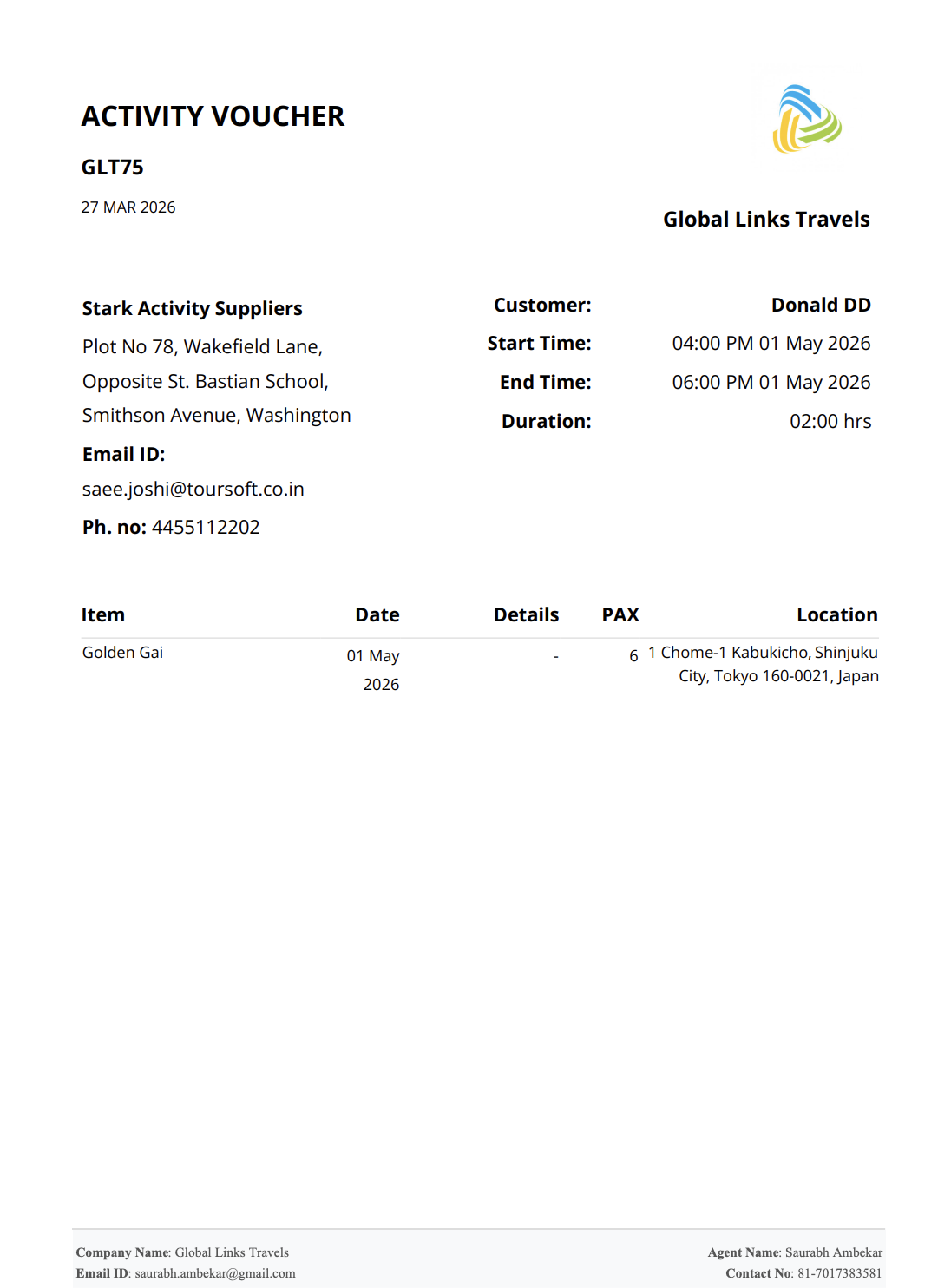
Note: Make sure all booking details are accurate before generating the voucher, as these details will appear on the supplier voucher.