Generating Customer Invoice
After adding a customer booking to a Group Tour, you can generate a customer invoice directly from the booking. The invoice can be downloaded as a PDF and shared with the customer for payment.
1. Open the Group Tour you want to manage.
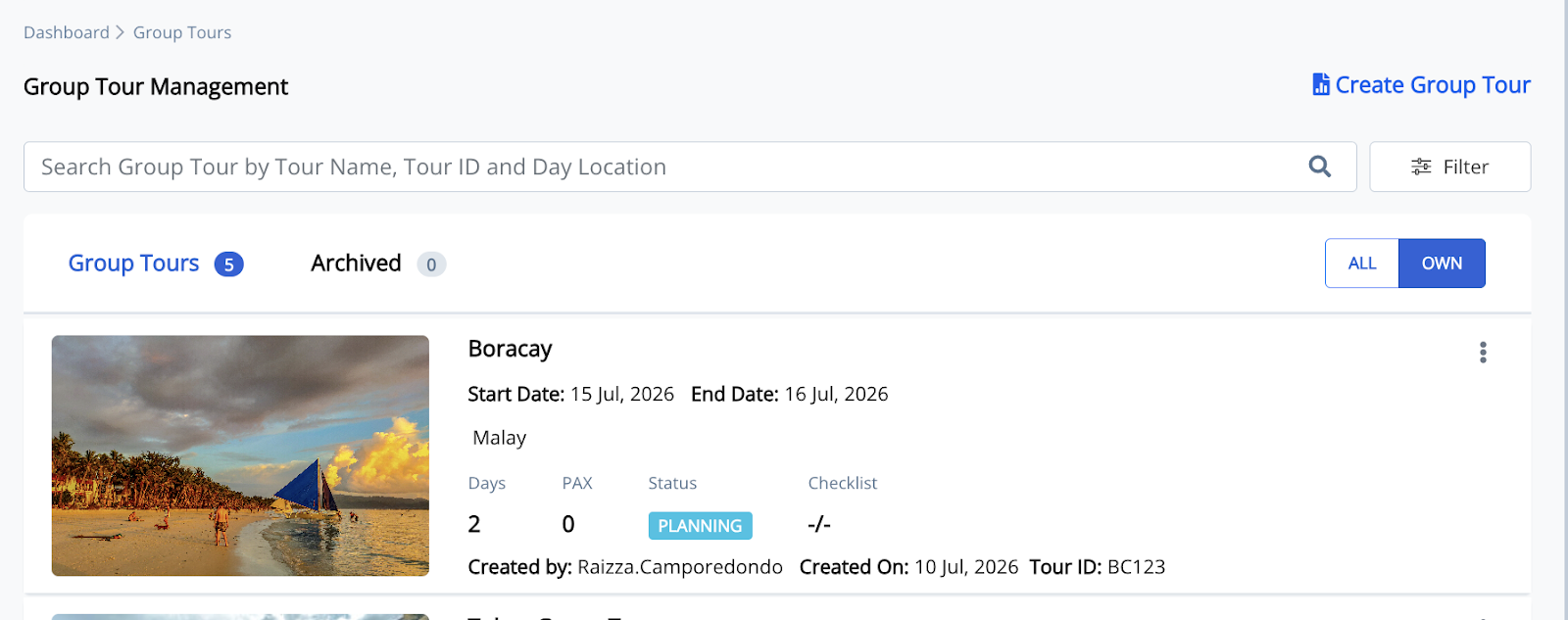
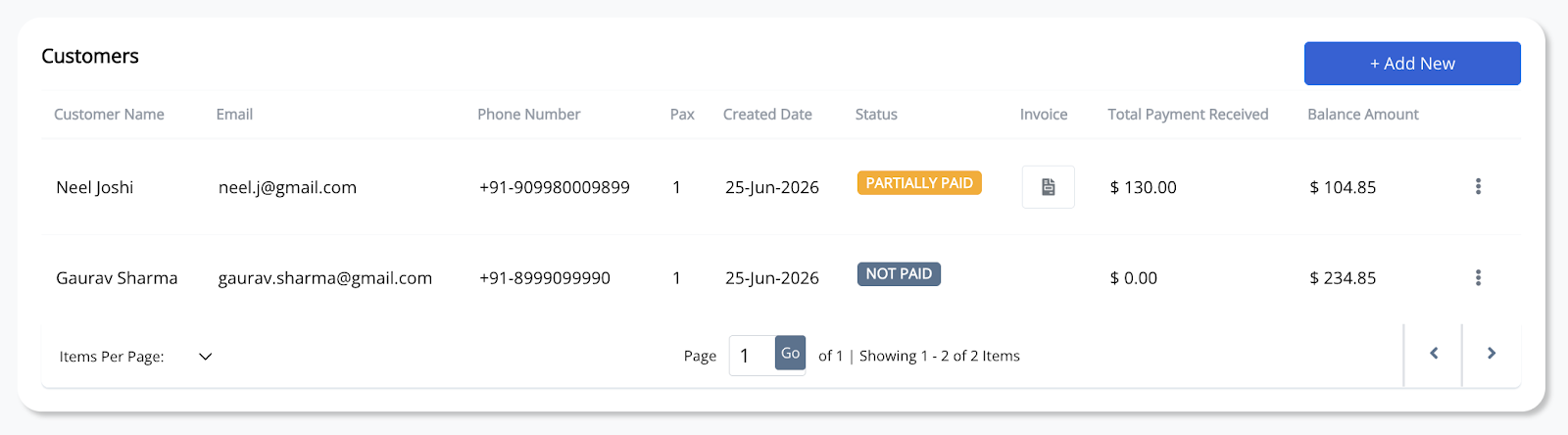
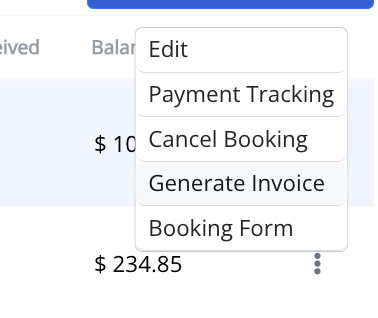
2. In the Customers section, click the three-dot (⋮) menu beside the customer booking, then select Generate Invoice.
3. Review or update the invoice details.
Complete or verify the required information, including the customer name, customer address (optional), remarks (optional), and whether to sync the invoice with Odoo (if applicable).
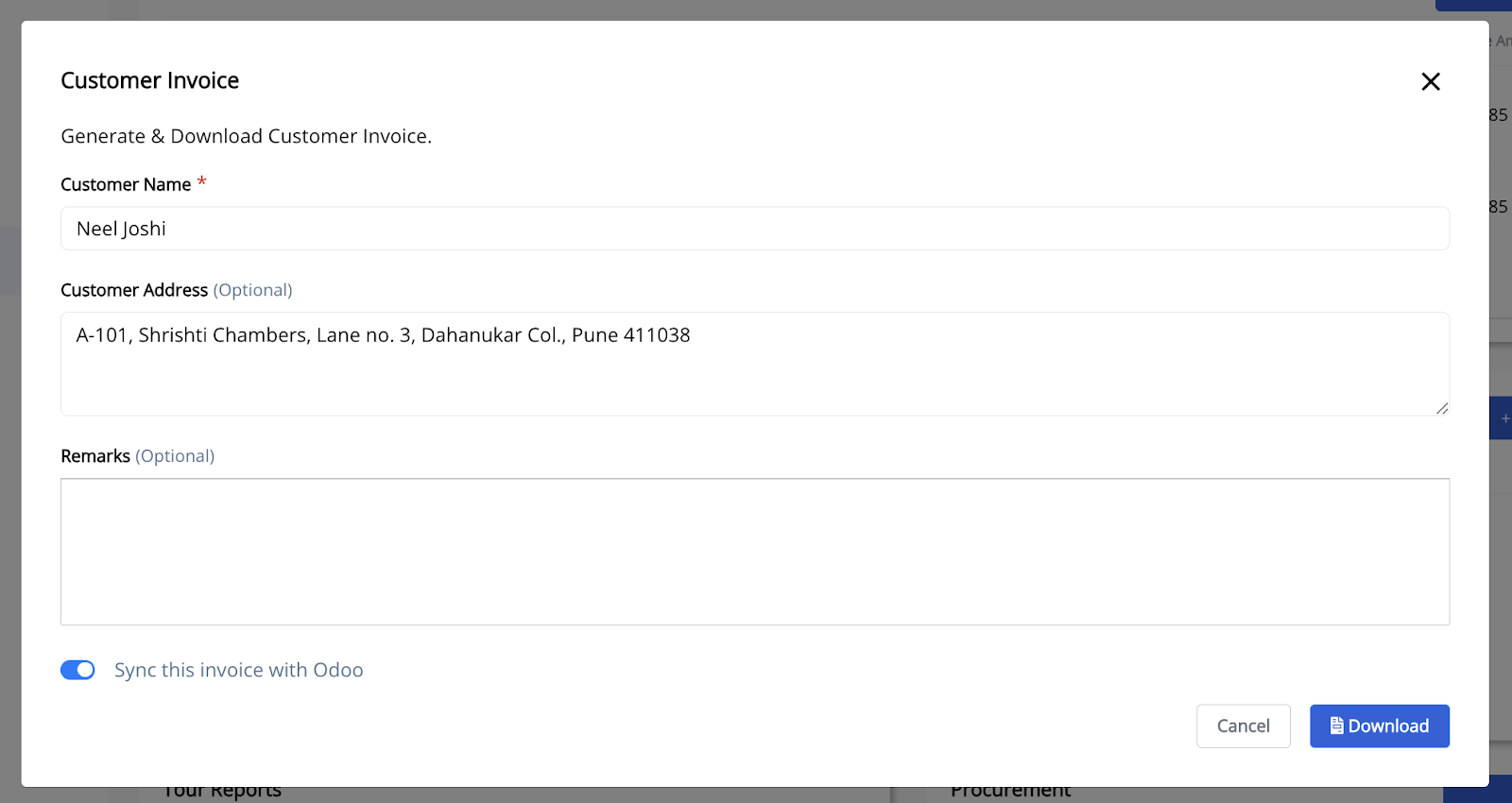
4. Click Download.
The customer invoice will be generated as a PDF and downloaded to your device.
Note: Any payments recorded through Payment Tracking are automatically reflected on the customer invoice. If booking details or payments are updated, generate a new invoice to ensure the latest information is included.