Assign Tour Staff to the Tour
After creating a Group Tour, you can assign tour staff to manage and support the tour. Assigned staff will appear in the Tour Staff section for easy reference throughout the tour.
1. Open the Group Tour you want to manage.
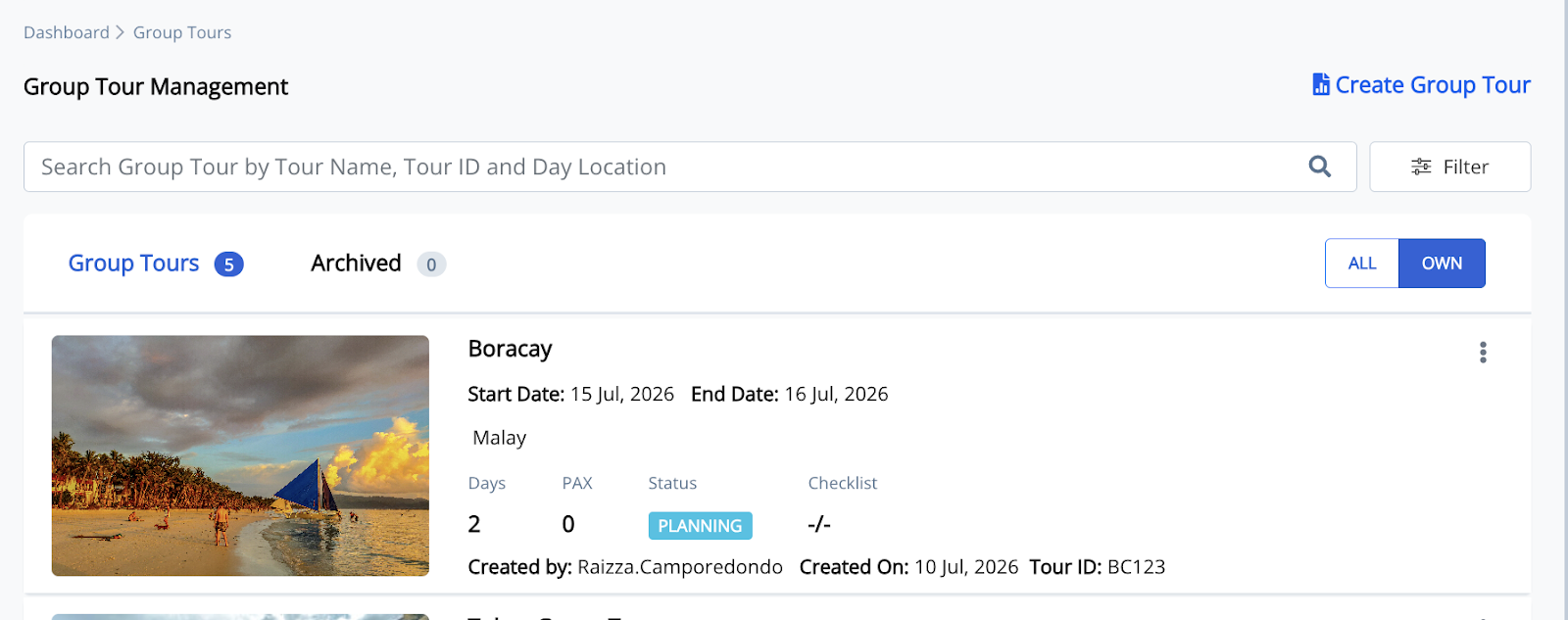
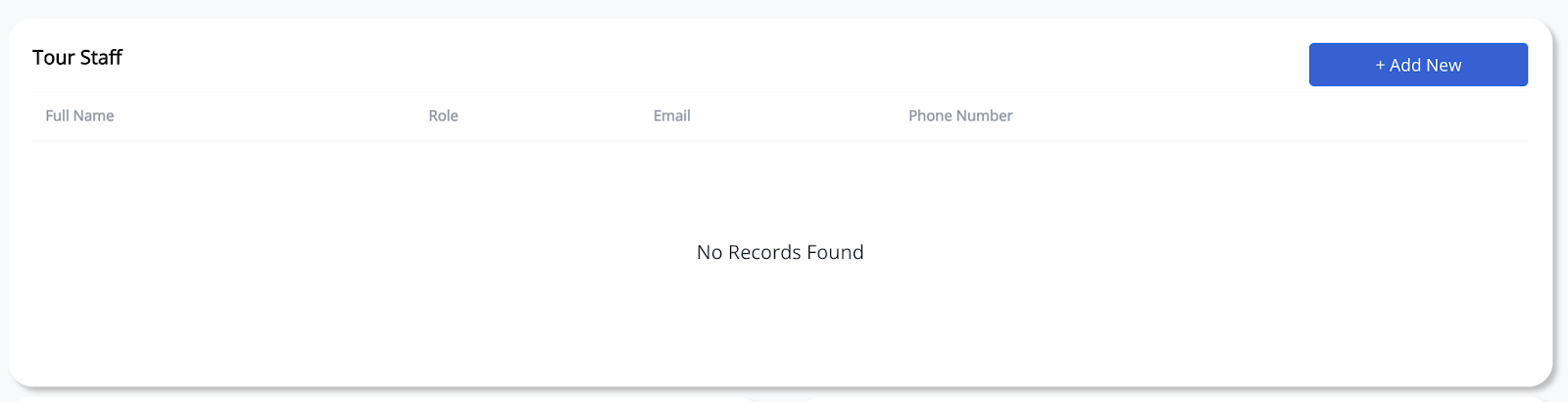
2. Scroll down to the Tour Staff section. And click + Add New.
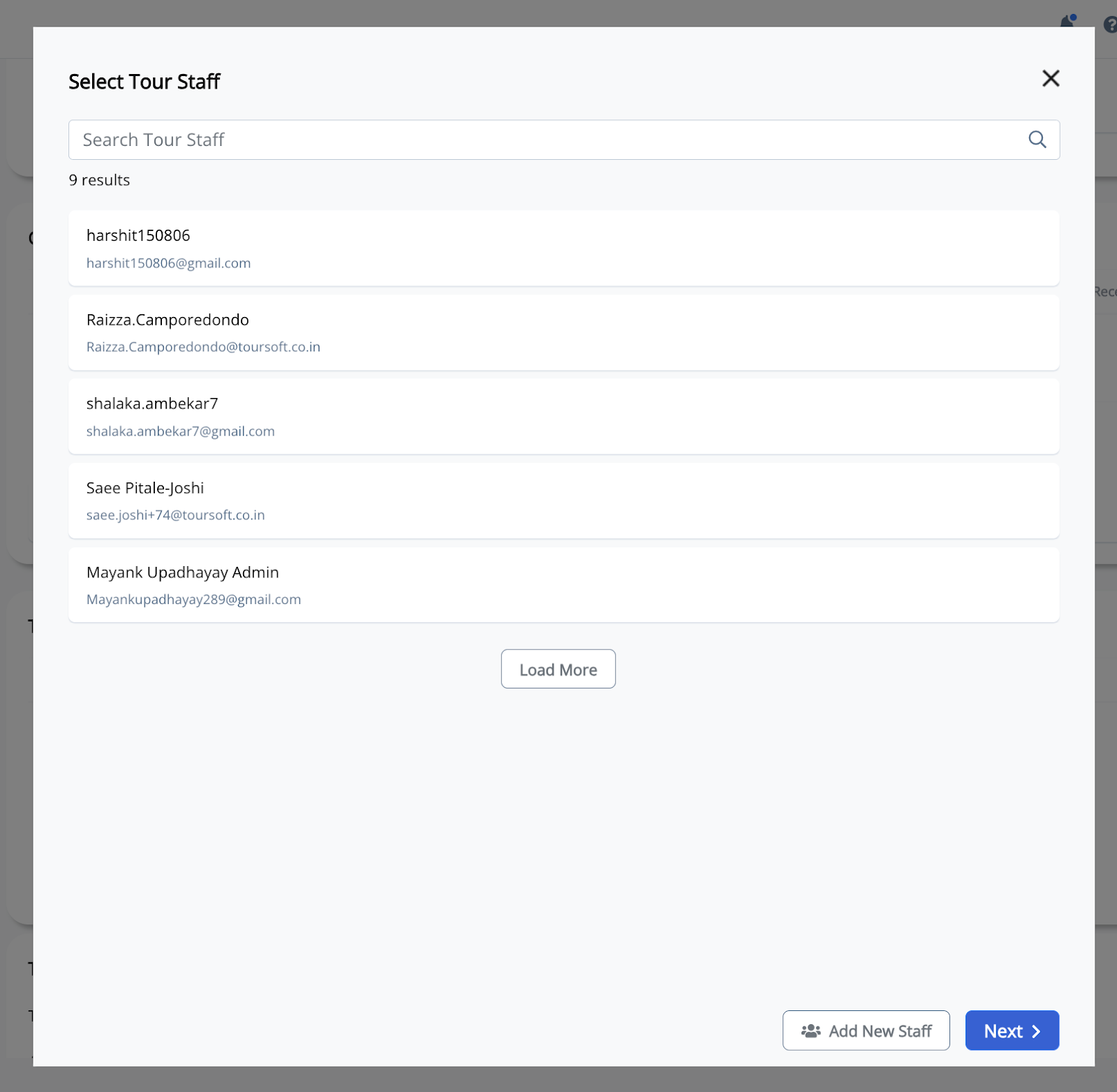
3. Select an existing staff member or click Add New Staff to create a new staff profile.
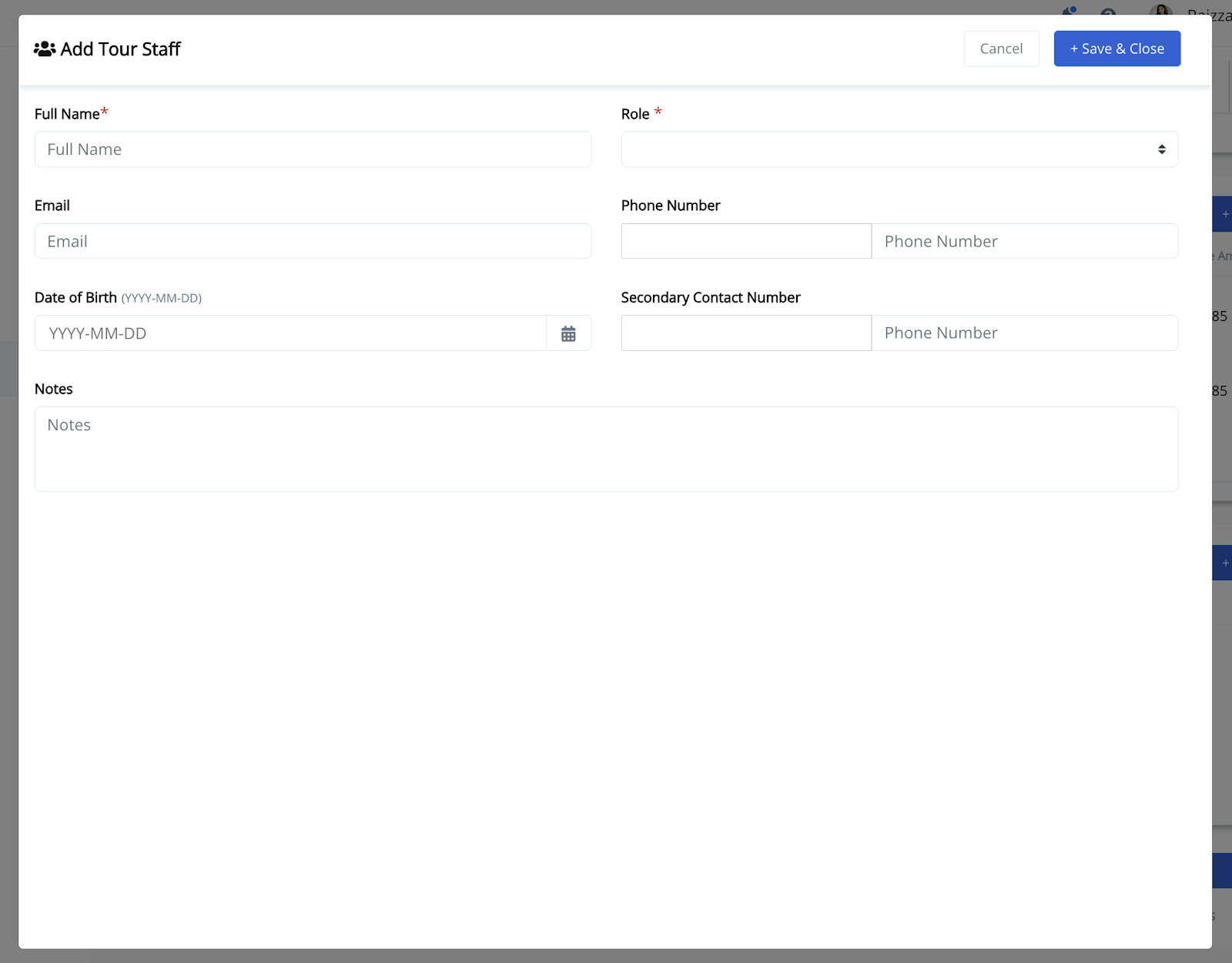
4. If adding a new staff member, enter the required information.
Complete the required information, including the staff member's full name, role, email address, phone number, date of birth (optional), secondary contact number (optional), and notes, then click Save & Close.
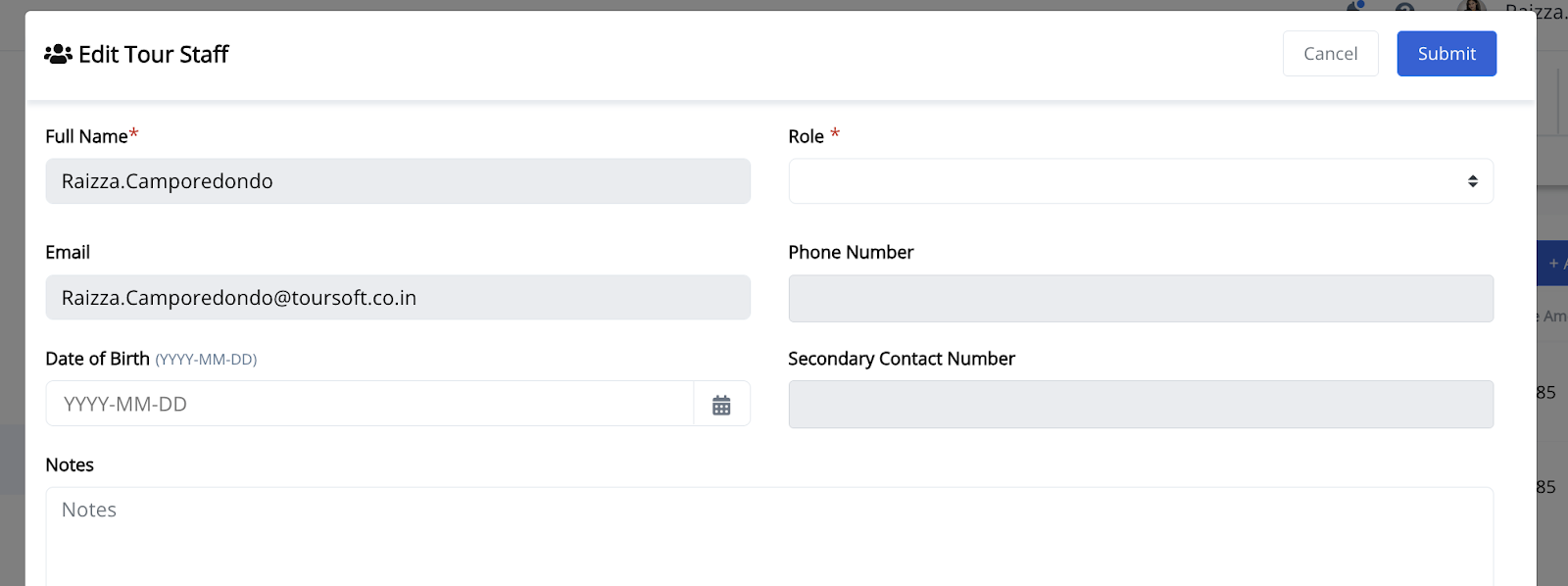
5. Edit the assigned staff member when necessary.
Open the assigned staff member's record, update the required information, then click Submit to save your changes.
Note:
You can assign multiple staff members to the same Group Tour. Staff information can be updated at any time, and changes will automatically reflect within the assigned tour.