Creating a Travel Overview Report
The Travel Overview report provides a day-by-day summary of the itinerary, including accommodations, activities, transfers, services, and other travel information. You can customize the report layout before exporting or sharing it.
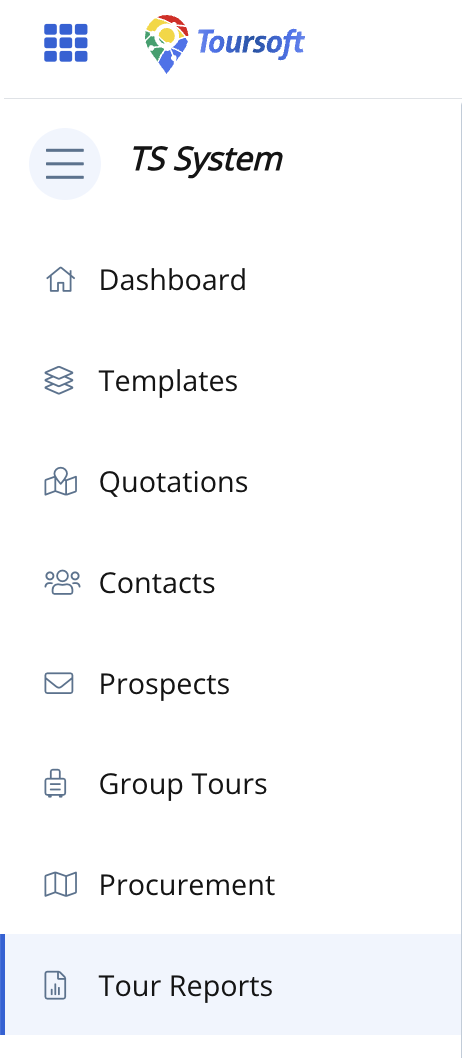
1. From the left navigation menu, click Tour Reports.
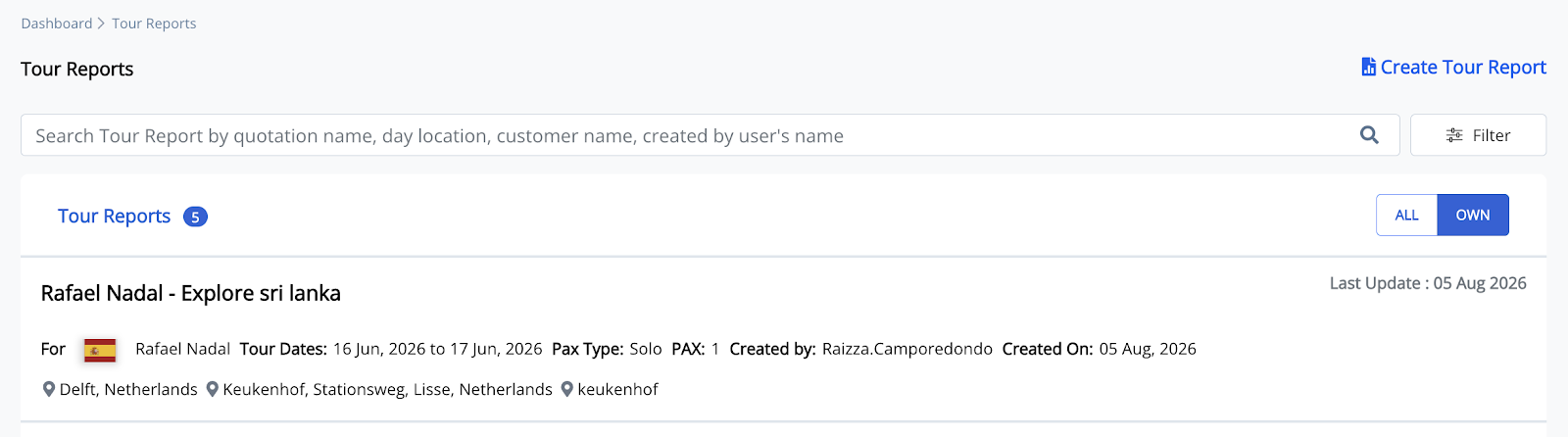
Open the tour report where you want to add a Travel Overview report.
2. Open the Quotation you want to generate the report
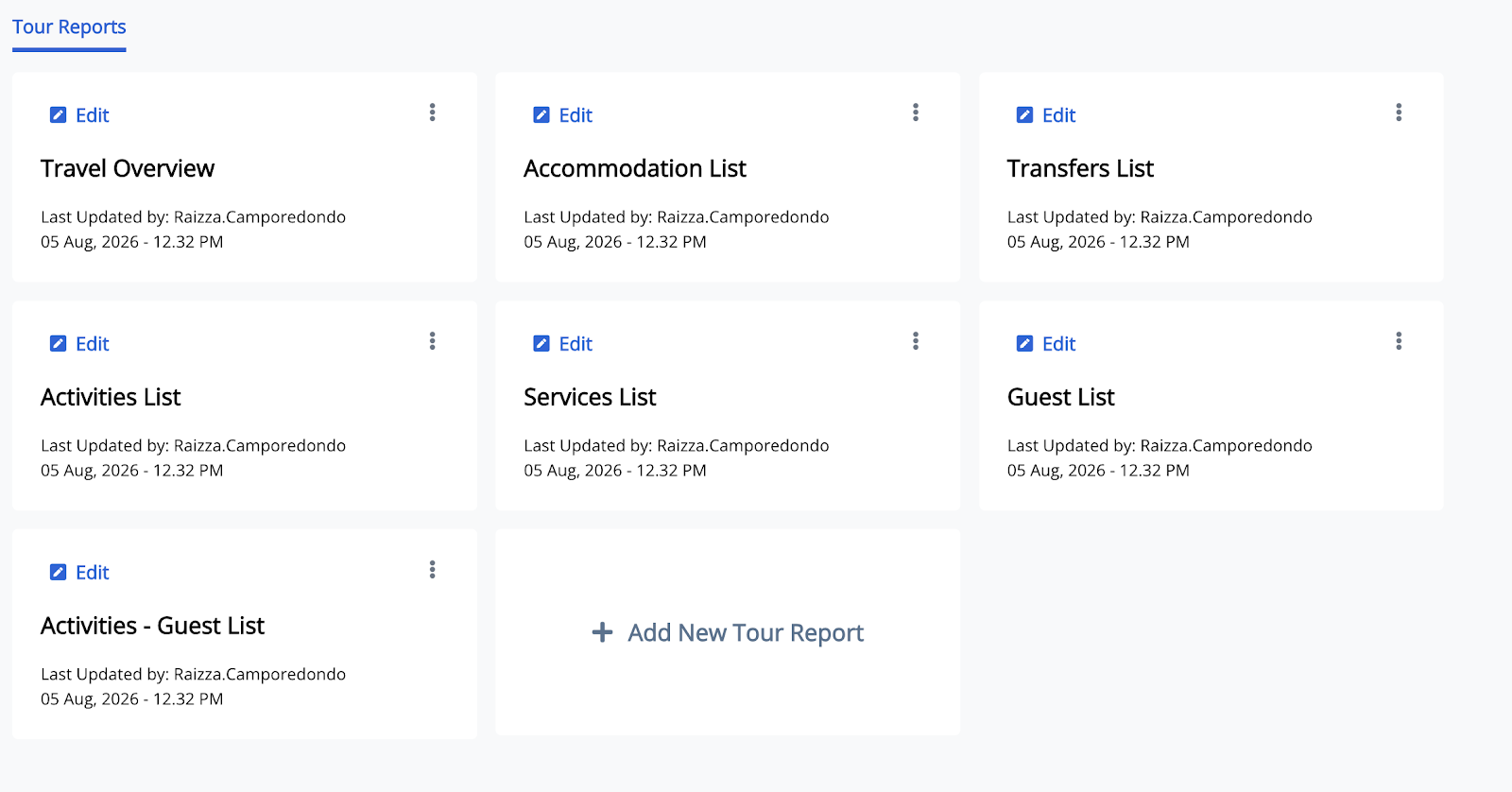
The available report types will be displayed.
3. Select Travel Overview then click Edit
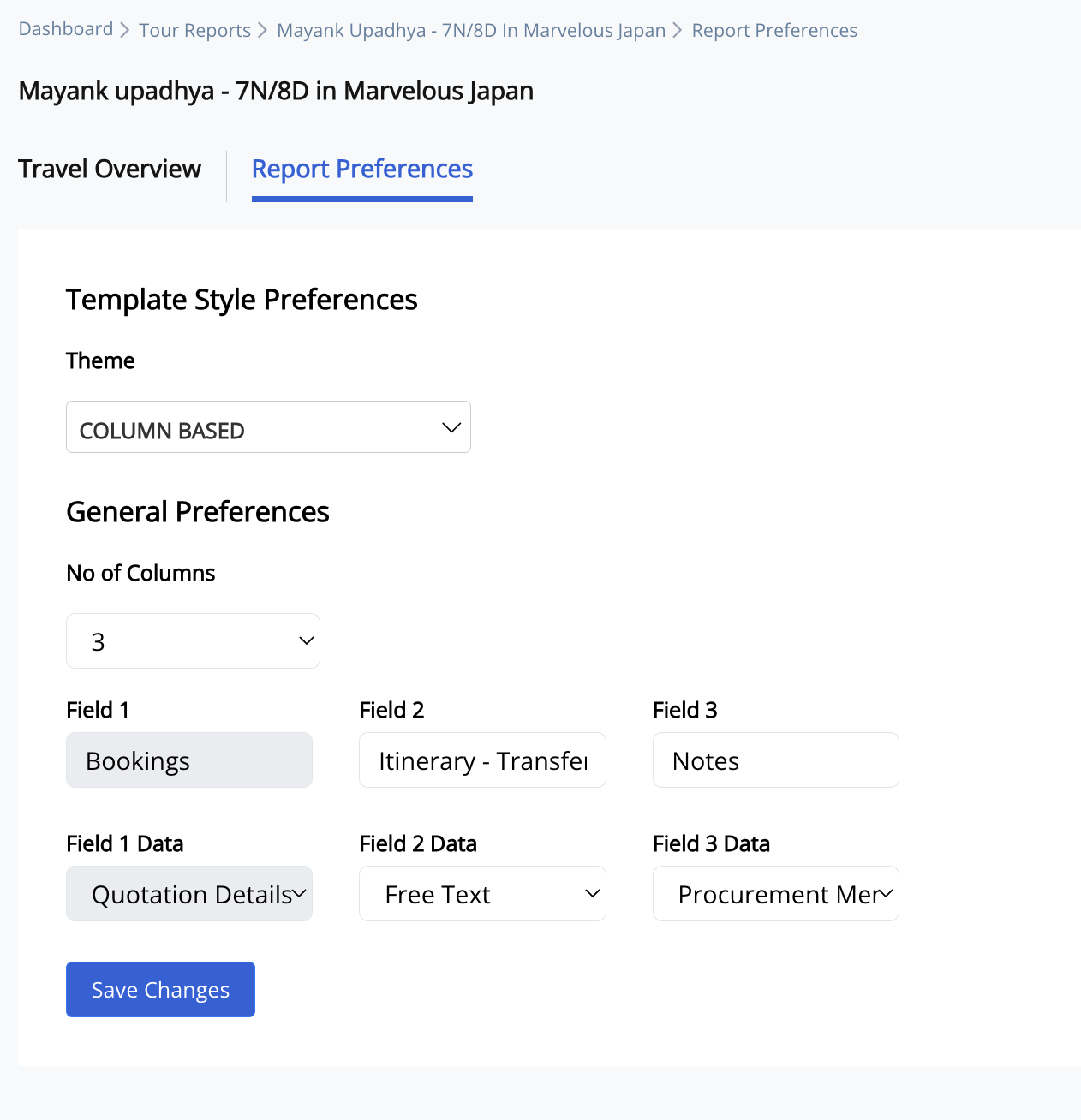
4. Once the Travel Overview opens you can now Customize the Report Preferences
Click 'save changes', then the Travel Overview report is generated.
5. Open the generated Travel Overview report.
The report opens in edit mode.
6. Click the Report Preferences tab.
The report customization options are displayed.
7. Configure the report preferences.
Select the preferred theme, number of columns, field names, and field data.
8. Click Save Changes.
The updated report layout is applied.
Note:
Changing the report preferences only affects the report layout and does not modify the original quotation or itinerary.