How to Create and Manage Tour Checklist
After creating a Group Tour, you can create and manage a tour checklist to keep track of important tasks before and during the trip. Checklist items help ensure that required documents, bookings, and preparations are completed on time.
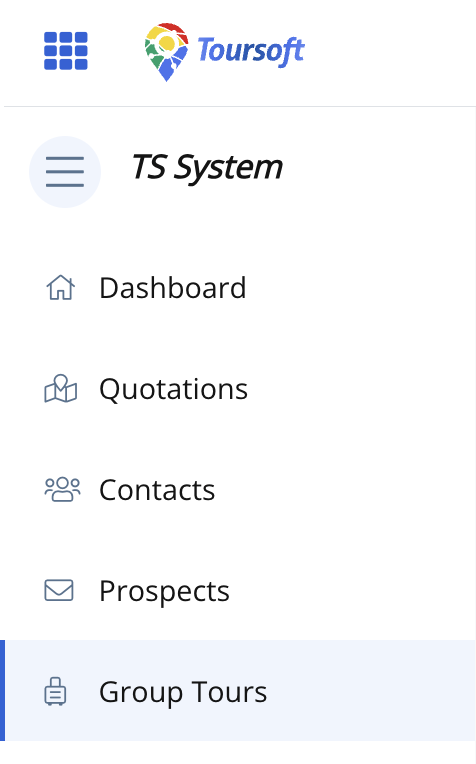
1. From the left-hand sidebar, select Group Tours.
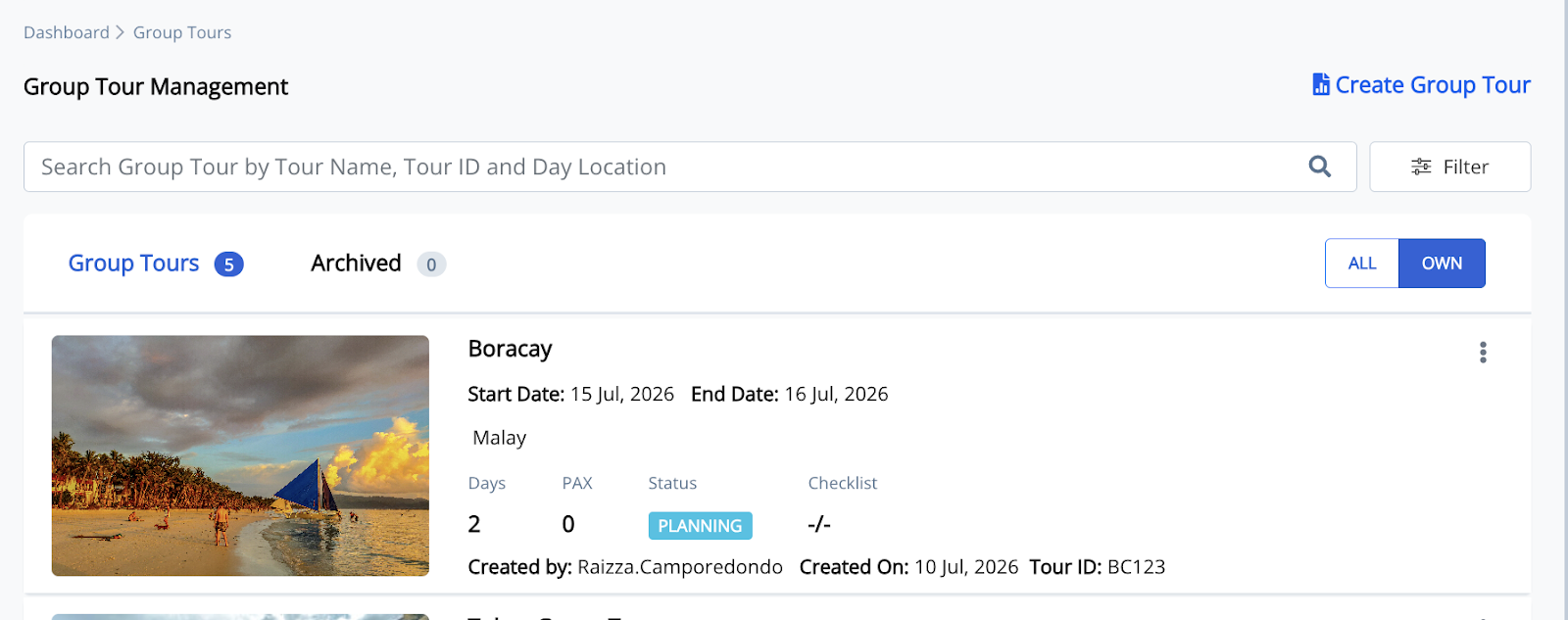
2. Open the Group Tour you want to manage.
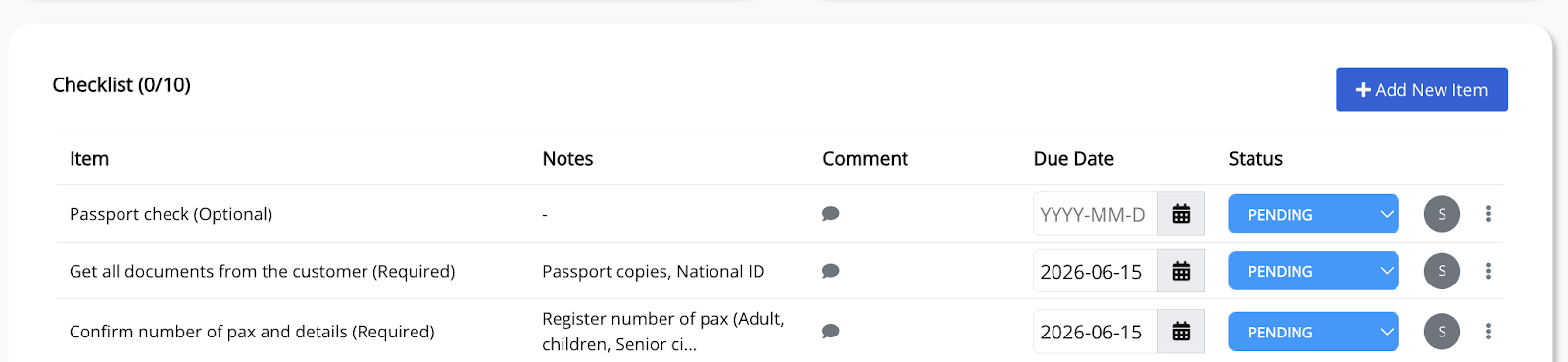
3. Scroll down to the Checklist section. Then, click + Add New Item.
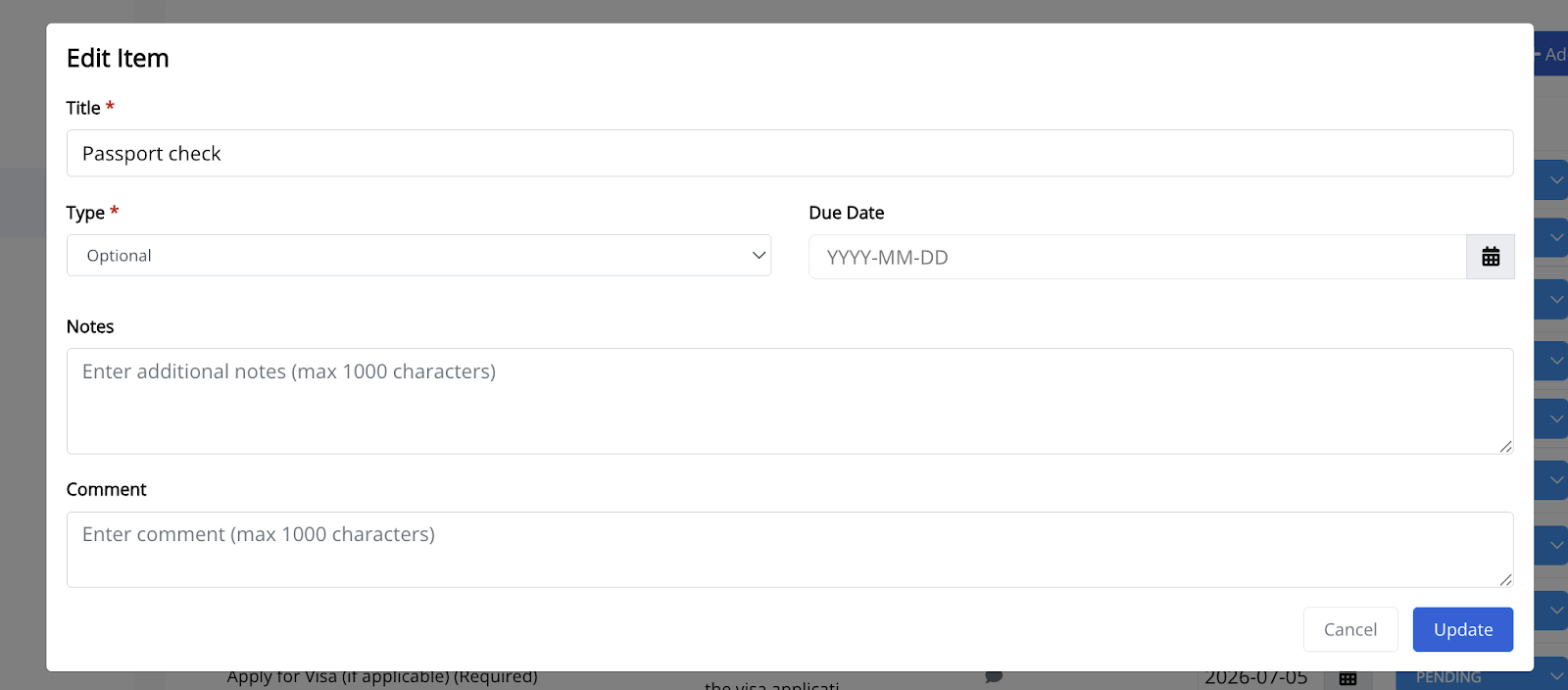
4. Enter the checklist item details.
Complete the required information, including the item title, type, due date, notes, and comments, then click Save.
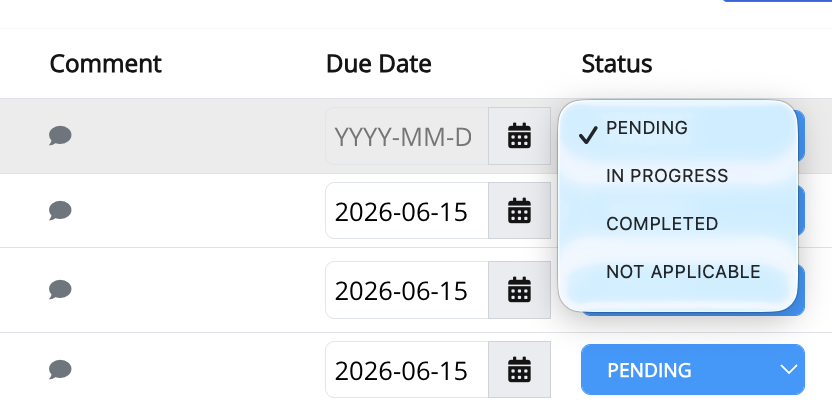
5. Update the checklist as tasks progress.
You can set or modify the due date, update the task status, and add comments directly from the checklist.
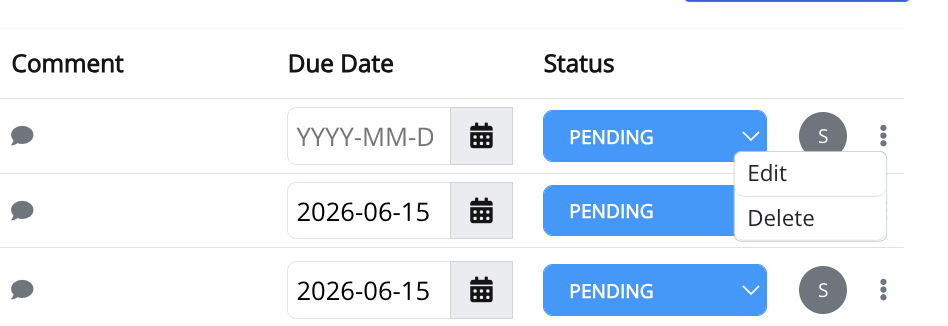
6. Edit or delete a checklist item when necessary.
Click the three-dot (⋮) menu beside the checklist item, then select Edit or Delete. You can also click the Comment icon to add or update comments for the selected item.
Note: Checklist items can be marked as Optional or Required, assigned due dates, updated with comments, and tracked using their current status to help monitor the progress of tour preparations.