Sharing Vouchers with Customers
Generate and share customer vouchers directly from the Procurement module. Once generated, vouchers can be downloaded and shared with customers via email, WhatsApp, or any preferred communication channel.
1. Login to Toursoft using your email address and password.

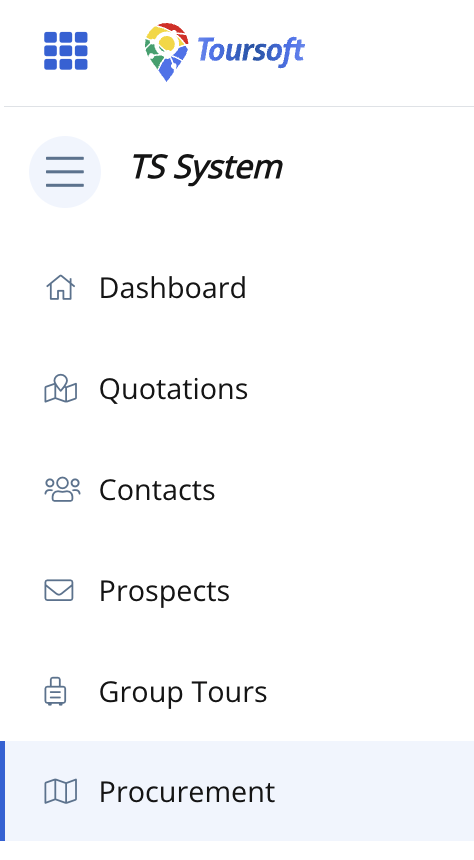
2. From the left-hand sidebar, select Procurement.
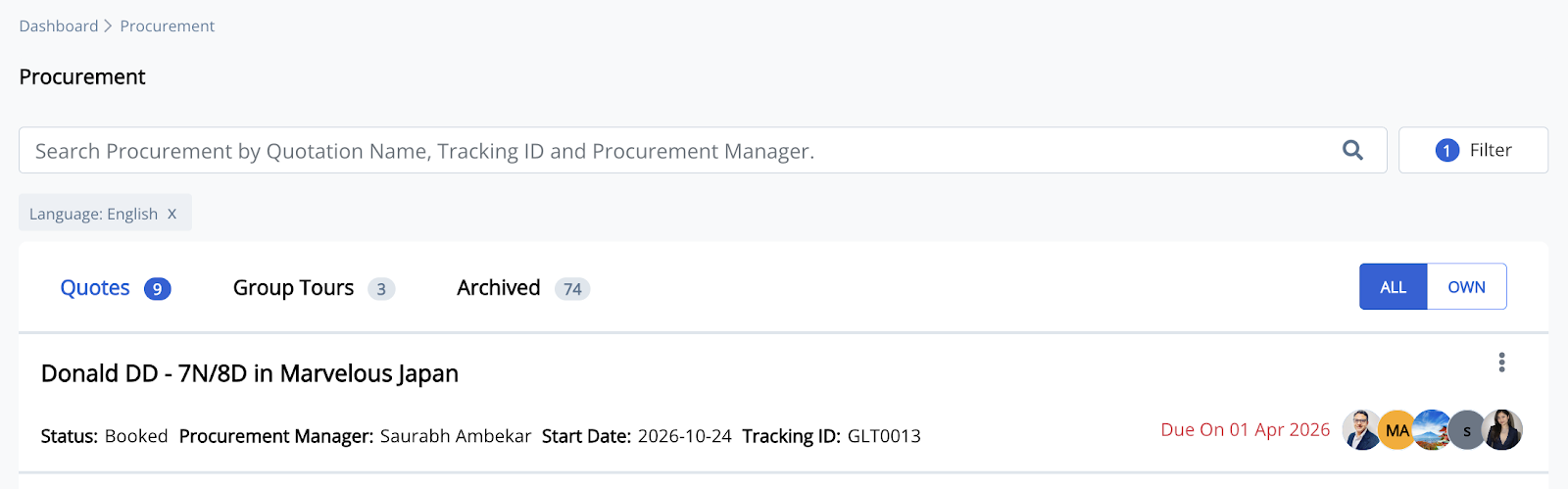
3. Open the procurement record you want to manage.
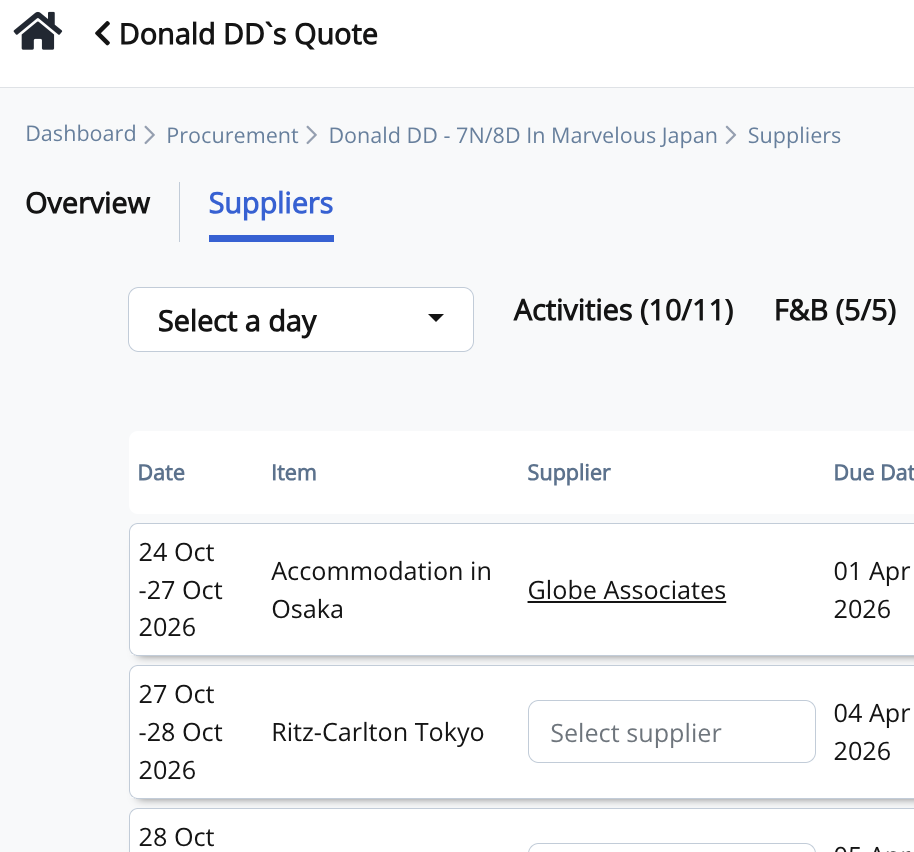
4. Click the supplier's name to open the Activity Procurement window.
5. Click Generate Voucher.
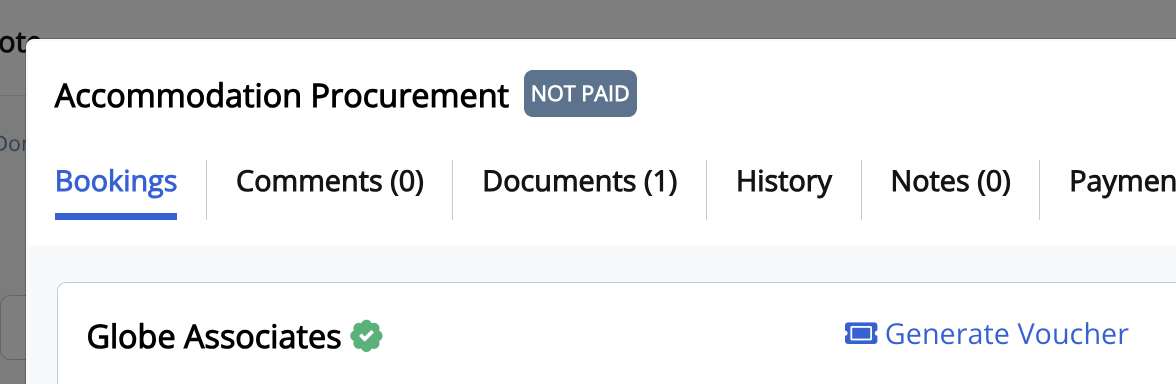
6. Enter or update the voucher details.
Complete the required information, including:
- Start Time
- End Time
- Duration
- Notes (optional)
- Agent Name
- Email Address
- Contact Number
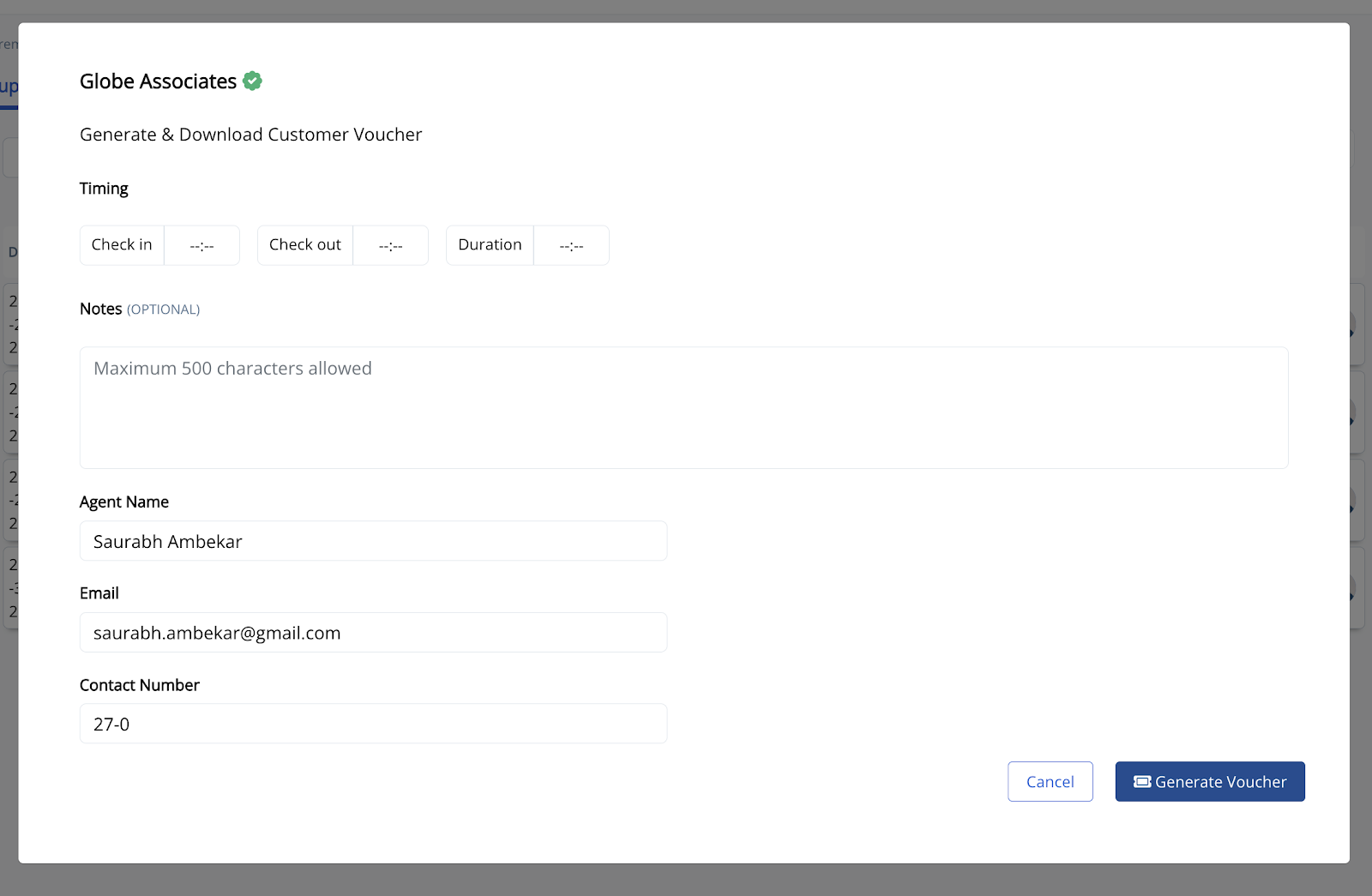
7. Click Generate Voucher.
A customer voucher will be generated automatically in PDF format.
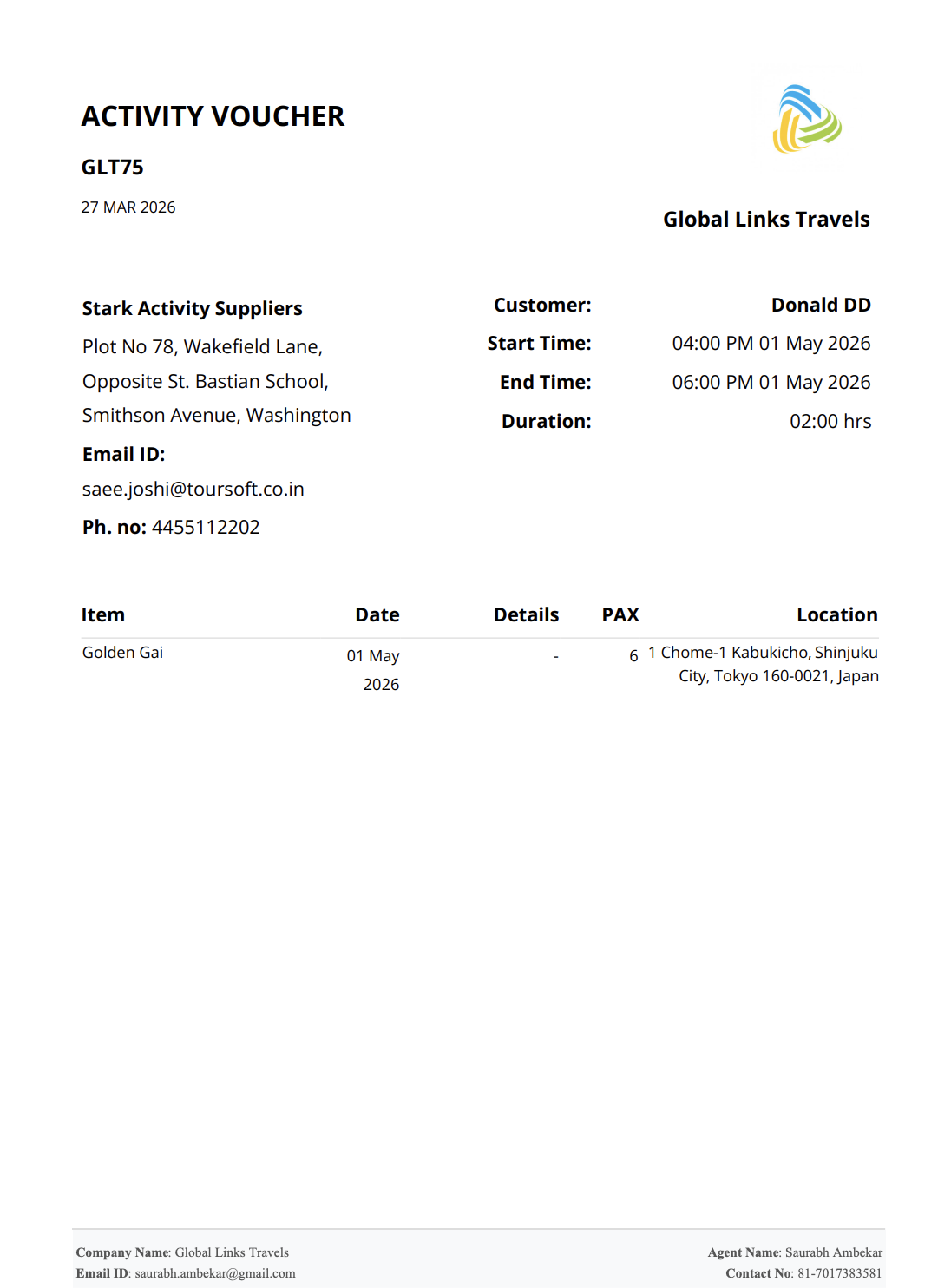
8. Download and share the voucher with your customer.
After the voucher is generated, you can:
- Download the PDF to your device.
- Send it through email.
- Share it via WhatsApp or any preferred messaging platform.
- Print a physical copy if needed.
The voucher contains important booking information, including the supplier details, customer name, activity schedule, location, passenger count (PAX), and contact information.
Note: Generated vouchers are also saved in the Documents tab of the procurement record, allowing you to download them again whenever needed.